Online Safety, Security, Ethics, and Etiquette
Netiquette is a time period that combines the words community and etiquette to describe a set of pointers for desirable online behavior. Similarly, online ethics is worried with the proper use of net sources in a social setting. Etiquette for Online Security and Ethics The grasp of optimizing the user’s personal protection and safety threats to non- public facts and property related with using the internet, as nicely as the self- protection towards pc crime in general, is recognized as web safety or online safety. What does net etiquette imply, for example? Whether you realize it or not, you suppose about etiquette when you go to a party. This is known as netiquette, or web etiquette.
Online Safety
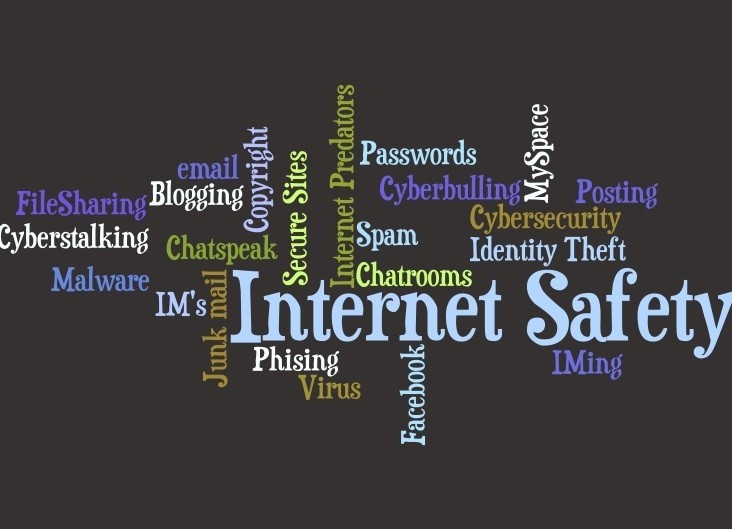
The internet’s importance is critical to human development. Because of technology, life has gotten simpler and more comfortable. The majority of us use a laptop, mobile phone, tablet, personal computer, or other electronic device to access the internet. There is a risk lurking behind this technology that everyone should be aware of. If you do not take care when using the internet, you may be vulnerable to scams, bullying, and illegal activity. When using the internet, we must keep ourselves safe and secure. That is why it is critical to understand and learn how to stay safe and secure online.
Risk of Sharing Personal Information Online
Type of Information Risks

- First Name
Sharing your first name still carries a risk. Even if you merely give out your first name, a hacker is likely to already have a lot of information about you. You can’t simply enter a room and begin introducing yourself to everyone. You never know who you might come across.
2. Last Name
If revealing your first name poses a minor risk, sharing both your first and last names poses a greater danger. You’ll be vulnerable to being found utilizing search engines that include image search. Matching a name to a face can lead to identity theft and other cybercrimes.
3. Middle Name
Sharing your middle name is definitely not the most dangerous of these details to share, but sharing your whole name is.
4. Current and previous school(s)
The majority of identity thieves research their target. This information can be used for verification purposes.
5. Your Cellphone Number
Your mobile number should never be shared publicly. The Internet is an open forum. It’s the equivalent of putting your phone number on a billboard.
6. Who your Mother and Father are
It’s perilous, but not as dangerous as revealing their complete identities, particularly your mother’s maiden name. In fact, if you’ve lost your password on a website that asks for your mother’s maiden name as a solution to a secret question, you’re not alone.
7. Who your siblings are
This is especially dangerous if you have younger siblings. Strangers may impersonate you or use your identity to deceive you.
8. Your address
Hopefully, you said no to this question. Giving your phone number to the Internet is one thing; giving them your address is another. Criminals would have an easier time tracking you down.
9. Your home phone number
This information is more dangerous to share than your own phone number. Scams frequently exploit this information to deceive you, such as when a stranger claims to know your parents or to be you.
10. Your birthday
If you want to receive as many gifts as possible, you should probably let people know your birthday. However, putting it in your profile puts you at risk of identity theft.
Tips on how to be safe online

- Keep in mind what you share and where you share it.
- Read the terms and conditions before accepting them.
- Look at a website’s privacy policies page.
- Learn about the security aspects of the social media site you use.
- Do not reveal your password to anyone.
- Avoid using public networks or Wi-Fi.
- Do not converse with strangers, whether online or in person.
- Never mention a future vacation on social media. 9. Friends you know in real life can be added.
- Untrustworthy websites should not be visited or downloaded.
- On your computer, install and update antivirus software.
- Create a private network with a password if you have Wi-Fi at home.
- Purchase the software but do not utilize it.
- Rather than using pirated software, purchase it.
- Do not respond to questionable emails or click on links in them.
The Internet Age
The internet is an extremely powerful instrument. It can be used to market your business, make new connections, and reconnect with existing ones.
The information superhighway is how the Internet is defined.
Internet Risk

Other netizens with malicious intent are a common threat that netizens encounter on a daily basis.
• Bullying online
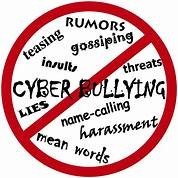
It occurs when someone uses electronic communication to purposely abuse, harass, or mistreat another individual.
• Theft of Identity
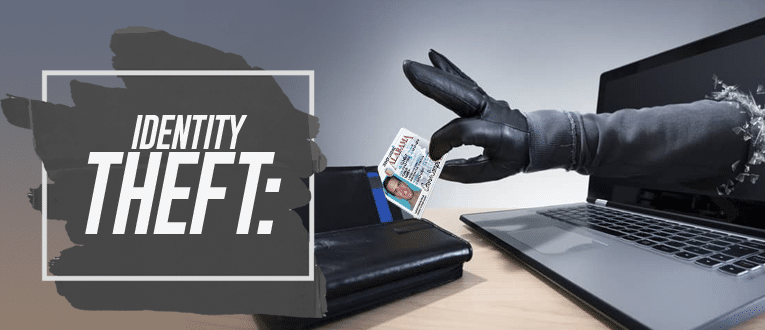
Theft of personal information with the intent of assuming the person’s identity is a crime.
To make any type of transaction, you must use your name or identification.
• Internet stalking
The use of internet communication to stalk or harass an individual or group is illegal.
• Sexting
Sending sexually explicit text messages, pictures, and videos is known as “sexting.”
Malware (also known as Malicious Software) is a type of malicious software.
Types of Malware
- A virus is a malicious program that copies itself and spreads to other programs.
- Trojan Horse is a harmful program that masquerades as a genuine program.
Accept and utilize, but maintain control over your computer. - Worms are harmful programs that duplicate themselves and spread to other systems.
- Spyware is a malicious program that collects data from a victim’s computer and sends it to a hacker.
- Adware is an unwelcome advertisement that appears on the victim’s computer multiple times.
Then act strangely and take a long time to close them.
- A keylogger is a background software that steals user passwords and information.
By recording every keystroke a person performs on their computer or device, hackers can obtain confidential information and send it back to them. - Botnet – A botnet is a group of infected internet-connected devices, such as computers and mobile phones, that are controlled by a single piece of malware.
- Rootkits are software tools that hackers use to take control of a computer on a network.
without exposing themselves - Ransomware is a ransomware virus that prevents users from accessing programs or files and demands payment of a ransom via an online means in exchange for the virus’s eradication.
B. Spam
Also known as spam email or unsolicited email sent by a bot or advertisement. It has the ability to send malware.
C. Phishing

A method of obtaining sensitive personal information through the use of misleading emails and websites.
D. Cybercrime
Hacking, phishing, spamming, child pornography, libel, hate crimes, identity theft, and other crimes include the use of a computer as an object and tool.
E. Cybercrime Law
A statute that covers all types of cybercrime.
WHAT IS NETIQUETTE?
It is a combination of the terms “net” and “etiquette.” It is an online etiquette that demonstrates good behavior and manners. Netizens are members of an online society who communicate through social media. We also need to maintain decent behavior when engaging with other netizens online, which is acceptable to others in the online community.
Rules of Netiquette
Protecting Reputations Online

Doing something embarrassing used to not be such a big deal.
Embarrassing situations are now filmed on any gadget you can think of, which could harm not just your reputation but also the reputation of those around you.
Think Before You Click
- Before you publish something on the internet, ask yourself the following questions:
• Would you like it to be seen by your parents or grandparents?
• Would you want it seen by your future boss? - Your pals rely on you to keep them safe.
- internet reputation
- Make your post “private.”
- Names should be avoided.
- If you believe a post may harm your or someone else’s reputation, ask the person who made it to remove it or report it as inappropriate.
The Core Rules of Netiquette by Seth T. Ross
- Consider the human.
- Maintain the same standards of conduct online as you do in real life.
- Know your location in online.
- Respect the time and bandwidth of others.
- Make a good impression on the internet.
- Exchange expert information.
- Assist in keeping flame battles in check.
- Respect the privacy of others.
- Do not misuse your authority.
- Be understanding of others’ errors.
Once a new technology rolls over you, if you not part of the streamroller you’re part of the road.
Stewart Brand
 Zamina